
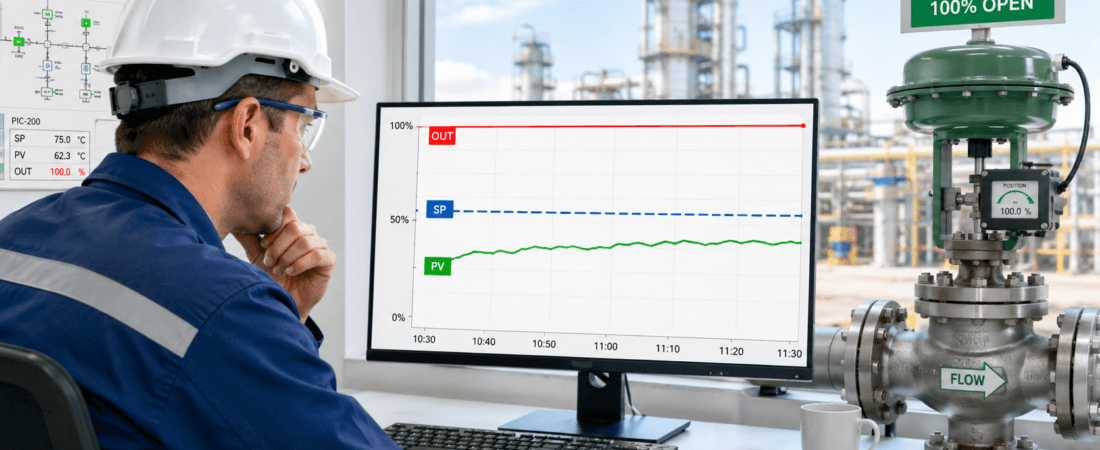
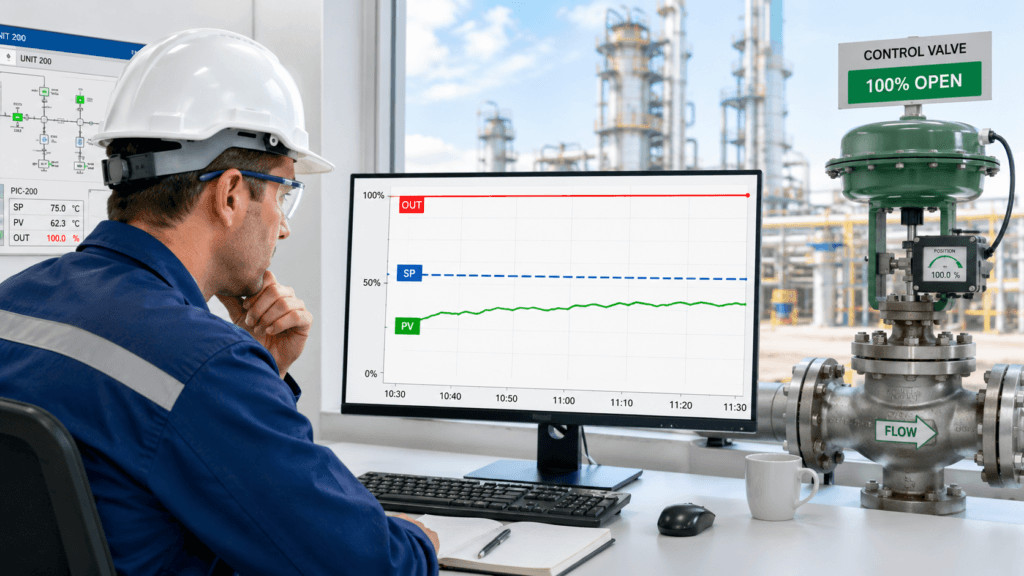
The controller output was already at 100 percent.
The process value was still below the setpoint.
The first suggestion was predictable:
“Make the PID respond faster.”
But there was nowhere left for the controller to go.
It was already asking for everything the system could provide.
This is a situation I have learned to treat carefully.
When a PID loop cannot reach the setpoint, the tuning parameters often become the first suspect. The proportional gain may look too low. The integral action may look too slow.
But if the output is already at its limit, changing the PID may not solve anything.
The real question is:
Does the process still have enough control authority to reach the setpoint?
An Output Limit Is an Important Clue
A PID controller changes its output to correct the difference between the setpoint and the process value.
But the output has limits.
A control valve cannot open beyond 100 percent.
A VFD cannot run beyond its configured maximum speed.
A heater cannot produce more than its rated capacity.
A cooling system cannot remove unlimited heat.
Once the controller reaches its output limit, it has no additional control action available.
For example:
- The temperature is below the setpoint
- The steam valve is commanded fully open
- The controller output remains at 100 percent
- The temperature still does not rise
At that point, increasing the proportional gain cannot create more steam.
Faster integral action cannot increase the heat exchanger capacity.
The controller is no longer deciding how much output to use.
It is already using all available output.
The Controller May Be Working Correctly
A process value that does not reach the setpoint can look like poor control.
But the PID may be doing exactly what it should.
Consider a cooling-water control loop.
The process temperature rises.
The controller opens the cooling-water valve.
The output reaches 100 percent.
The valve is fully open.
The temperature remains high.
This may indicate:
- Insufficient cooling-water flow
- High cooling-water temperature
- Fouling inside the heat exchanger
- Restricted piping or strainer
- Increased production load
- Reduced heat-transfer performance
- An unrealistic temperature setpoint
None of these problems can be corrected by increasing PID gain.
The controller is asking for maximum cooling.
The process simply cannot deliver enough.
In the field, this distinction matters:
A loop that cannot control the process is not always a badly tuned loop.
Sometimes it is a loop without enough authority.
First Check the Full Trend
Before changing any tuning parameter, I want to see four signals together:
- Setpoint
- Process value
- Controller output
- Final-element feedback
For a control valve, that means valve-position feedback.
For a VFD, it may mean actual motor speed or frequency.
For an electric heater, it may mean actual power output or contactor status.
The trend should answer several questions.
Did the output gradually reach its limit?
Did the process respond while the output increased?
Did the final control element actually follow the command?
Did the process disturbance begin before the output saturated?
How long has the output remained at the limit?
A process value alone does not tell the whole story.
The sequence matters.
Commanded 100 Percent Does Not Always Mean Actual 100 Percent
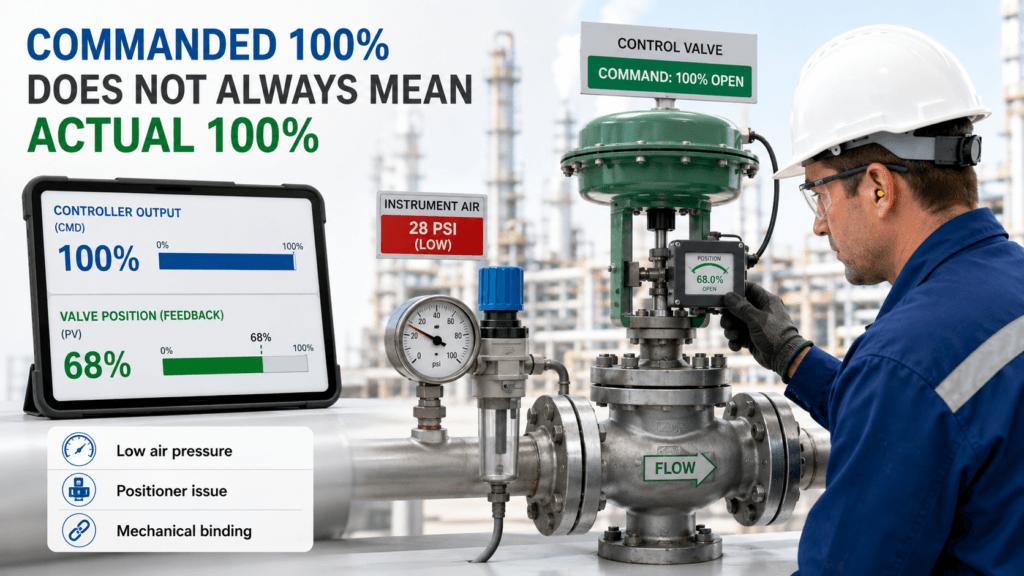
One mistake is assuming that controller output equals actual equipment output.
The DCS may command the valve to 100 percent.
But the valve may only reach 65 percent because of:
- Low instrument-air pressure
- Positioner calibration error
- Mechanical binding
- Actuator problems
- Incorrect travel limits
- A damaged linkage
- Valve stiction
- An active output clamp
The same applies to drives and other final elements.
A VFD speed command may be 100 percent, but the drive may be limited by:
- Maximum-frequency settings
- Current limit
- Torque limit
- Motor protection
- Process override
- PLC logic
- Equipment permissives
That is why I compare command with feedback.
If the controller output is 100 percent but the final element is not delivering 100 percent, the problem may still be in the control chain.
If the final element really is at maximum and the process still cannot reach the setpoint, the investigation should move toward process capacity and operating conditions.
Check Whether the Setpoint Is Realistic
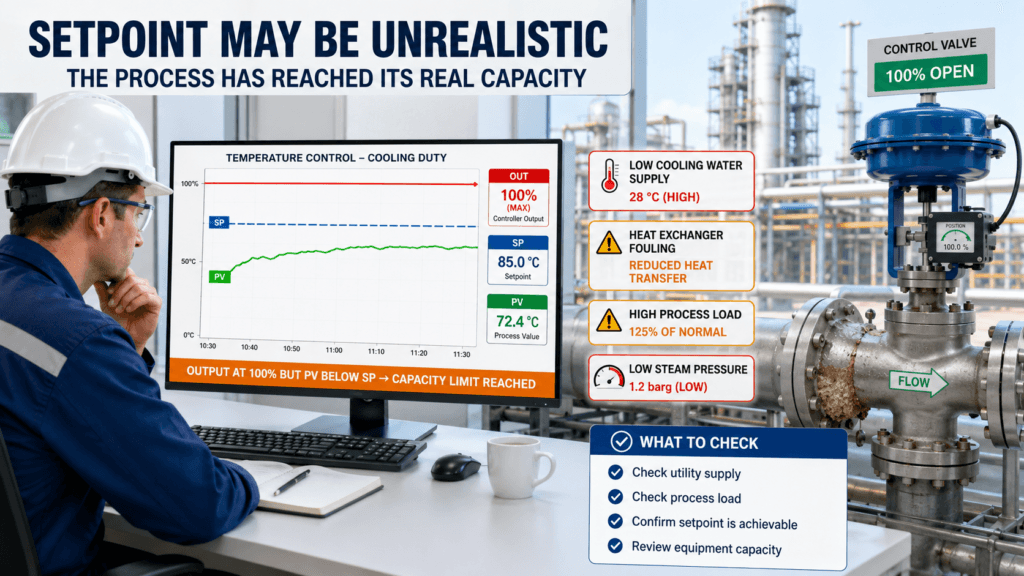
Not every setpoint is achievable under every operating condition.
A target that worked during low production may not be possible at full load.
A pressure setpoint may be too high when the supply source is weak.
A temperature setpoint may be impossible when the steam pressure is low.
A flow setpoint may exceed the actual pump or piping capacity.
Before tuning, ask:
- Has the production rate increased?
- Has the process composition changed?
- Has the utility supply changed?
- Is the equipment operating outside its original design range?
- Was the setpoint changed recently?
- Can the system physically achieve this target?
This is not only a control question.
It may require discussion with operations, process engineering, mechanical maintenance, and utility teams.
PID tuning cannot make an unrealistic target achievable.
Watch for Integral Windup
Output saturation can create another problem: integral windup.
Integral action continues to accumulate while an error remains.
Imagine a temperature loop.
The temperature is below the setpoint.
The output reaches 100 percent.
But the steam supply is unavailable.
The temperature cannot rise, so the control error remains.
The integral term continues accumulating.
Later, steam pressure returns.
The valve remains fully open longer than necessary because the controller has accumulated a large integral demand.
The temperature overshoots.
The loop may then look aggressively tuned.
But the overshoot began while the output was saturated and the process could not respond.
Useful items to check include:
- Anti-windup configuration
- Output tracking
- External reset feedback
- Manual-to-auto transfer
- Output limits
- Override logic
- Cascade-loop tracking
The correct response may be a configuration change, not simply slower integral tuning.
Look for Hidden Limits
The limit shown on the main PID faceplate may not be the only limit in the system.
The controller may show 100 percent while another block is restricting the actual command.
Possible hidden limits include:
- PID output clamps
- Rate-of-change limits
- Valve-position limits
- VFD speed limits
- Motor-current limits
- Override selectors
- High- or low-pressure constraints
- Equipment protection logic
- Operator-entered manual limits
- Cascade-loop limits
I have learned not to trust one screen alone.
Follow the command through the logic until it reaches the final control element.
The useful question is:
Where is the output actually being limited?
A Practical Field Review
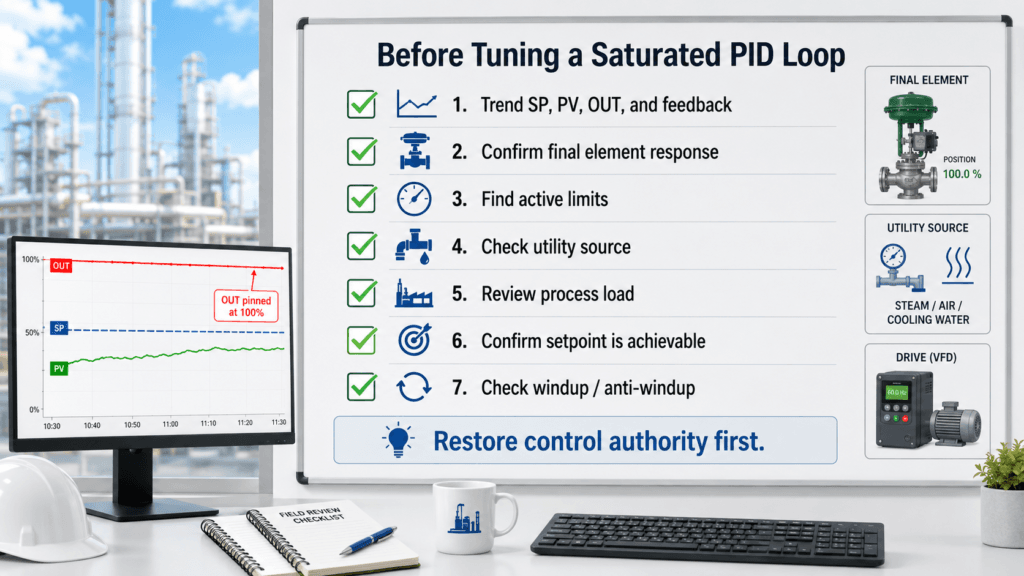
When a PID output stays near 0 or 100 percent, I use this sequence before tuning.
1. Trend the Full Control Chain
Review the setpoint, process value, controller output, and final-element feedback together.
2. Confirm the Final Element Responded
Check whether the valve, VFD, damper, heater, or actuator actually reached the commanded position or output.
3. Find Every Active Limit
Review PID clamps, equipment limits, overrides, interlocks, current limits, speed limits, and rate limits.
4. Check the Energy or Utility Source
Verify steam pressure, cooling-water condition, air pressure, electrical capacity, pump performance, and other required utilities.
5. Review the Process Load
Check whether production demand, heat load, flow demand, pressure loss, or equipment condition has changed.
6. Confirm the Setpoint Is Achievable
Compare the target with the actual process and equipment capacity.
7. Check for Integral Windup
Review anti-windup, tracking, and the controller’s behavior when the output leaves saturation.
8. Tune Only After Control Authority Is Restored
PID tuning becomes meaningful after the final element can move properly and the process has enough capacity to respond.
Shortcuts I Try to Avoid
Increasing Gain While the Output Is Already Saturated
Higher gain does not create additional valve travel, motor speed, heating, or cooling capacity.
Making Integral Action Faster
This can increase windup and create a larger overshoot when the process finally recovers.
Assuming 100 Percent Command Means 100 Percent Delivery
Always compare the command with actual valve position, speed, power, or equipment feedback.
Blaming the Controller for an Unrealistic Setpoint
The process may be physically unable to achieve the requested target.
Resetting the Loop Without Preserving the Trend
The period before, during, and after saturation often contains the best evidence.
Field Checklist: Before Tuning a Saturated PID Loop
- Trend SP, PV, controller output, and final-element feedback
- Confirm whether the output is at 0%, 100%, or another configured limit
- Compare controller command with actual equipment response
- Check valve travel, drive speed, heater power, or actuator position
- Review output clamps, overrides, interlocks, and rate limits
- Verify steam, cooling water, air, power, or other utility conditions
- Check whether production load or process demand has changed
- Confirm that the setpoint is physically achievable
- Review integral windup and anti-windup configuration
- Identify what changed recently
- Restore control authority before changing the PID
When PID Tuning Is Actually Necessary
PID tuning may still be required after the capacity and limit issues are corrected.
The process dynamics may have changed.
The final control element may have been replaced.
The operating range may now be different.
The loop may respond too slowly after leaving saturation.
But the tuning should be reviewed after the system can actually control the process.
Otherwise, parameter changes are being made while the controller has no room to act.
That produces very little useful information.
Final Thought
When a PID output reaches its limit, the controller is telling us something important.
It may be saying:
“I have no more control action available.”
Before changing the gain or integral time, check whether the final element actually reached its command.
Check the active limits.
Check the utility supply.
Check the process load.
Check whether the setpoint is achievable.
Because PID tuning cannot create capacity that the process does not have.
Sometimes the controller does not need to become more aggressive.
The system needs to regain its ability to respond.